[ AN ORIGINAL PC EXPEDITION ]
DOOM98
ION STATION
INCOMING TRANSMISSION
The signal stopped.
The machines did not.
Enter a silent space station. Recover its access cards. Shut down the Core Warden.
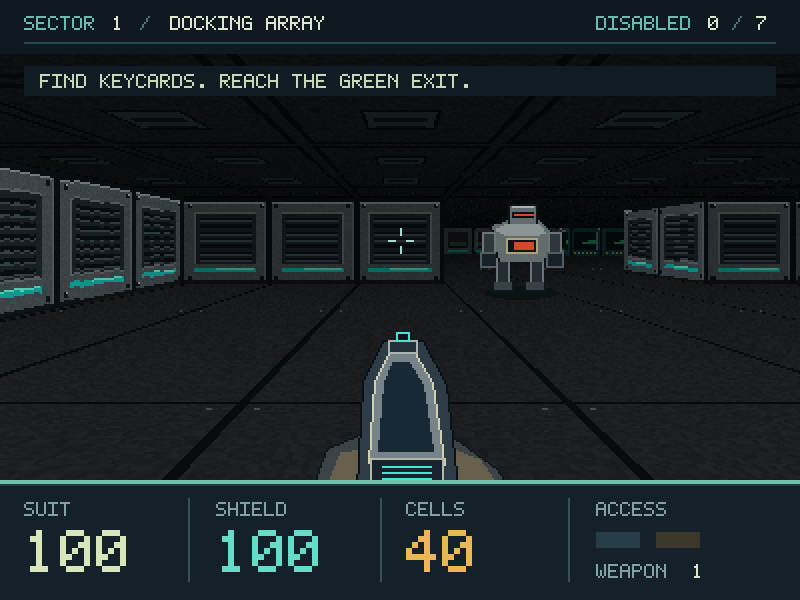 ENLARGE
TO EXPLORE
WEAPONS
TO RECLAIM
SINGLE PLAYER
NO COMMERCIAL GAME DATA NEEDED
01 / MISSION BRIEFING
Something is still
running down there.
The station has gone quiet. Its security system hasn’t. Make your way from the Docking Array through the Coolant Works and into the Ion Core.
Find keycards, search for hidden supply caches, and keep moving when the robots open fire. Your pulse sidearm never runs out of energy.
An original Doom-style raycasting game. No WADs or commercial assets required.
EXPEDITION EQUIPMENT
- 01STANDARD
Pulse sidearm
Unlimited energy. Your reliable way through.
- 02RECOVER
Scatter caster
Five energy rays. One cell per shot.
- 03RECOVER
Plasma driver
Rapid fire for the station’s tougher defenders.
02 / FIELD RECORDINGS
Three stops. One way out.
Click an image for the full view.
Docking Array
Get inside. Find your first access card.

Coolant Works
Two keycards. More resistance.

The Ion Core
Disable the Warden. Restore the station.
Images rendered by the game’s shared engine. These are not Windows runtime captures.
03 / FILE TRANSFER
Your expedition starts here.
Doom98 — Complete package
Windows game · VB6 project · Source · Maps · Original assets
How to play
Extract the whole ZIP into a writable folder. Open Doom98.exe, choose New Expedition, and press F1 for the field manual.
For retro Windows
A 32-bit Windows game targeting Windows 98 SE with DirectX 7. The game is a desktop download; it does not run in your browser.
Build status & compatibility
The included EXE was compiled from a C translation of the shared VB6 code. All 13 headless engine checks passed. Microsoft VB6 compilation and live Windows testing remain unverified.
The complete Doom98.vbp project and DirectX 7 bridge are included, along with build instructions and the verification report.
04 / FIELD MANUAL
Know your controls.
Keep moving. Check the map. Save before entering the next room.
1 The pulse sidearm always has energy.
| W S / ↑ ↓ | Move forward / back |
|---|---|
| A D / ← → | Strafe / turn |
| Ctrl / Left mouse | Fire |
| E / Space | Open / use exit |
| Shift / 1 2 3 | Run / select weapon |
| Tab / M | Map / mouse aiming |
| F5 / F9 | Save / restore |
| F11 / V | Fullscreen / mute |
| Esc / F1 | Pause / field manual |